> ## Documentation Index
> Fetch the complete documentation index at: https://docs.zerorank.ai/llms.txt
> Use this file to discover all available pages before exploring further.
# Sources
> Where AI gets its information, sorted by website and page type.
When an AI engine answers a question, it pulls facts from websites. A **source** is one of those websites. The **Sources** page sorts them for you, so you can see which sites AI engines trust in your space.
Think of sources as the books AI quotes from. If your page is not on the shelf, the AI cannot read from it.
## Two ways to look at sources
ZeroRank shows your sources in two views. Each one answers a different question.
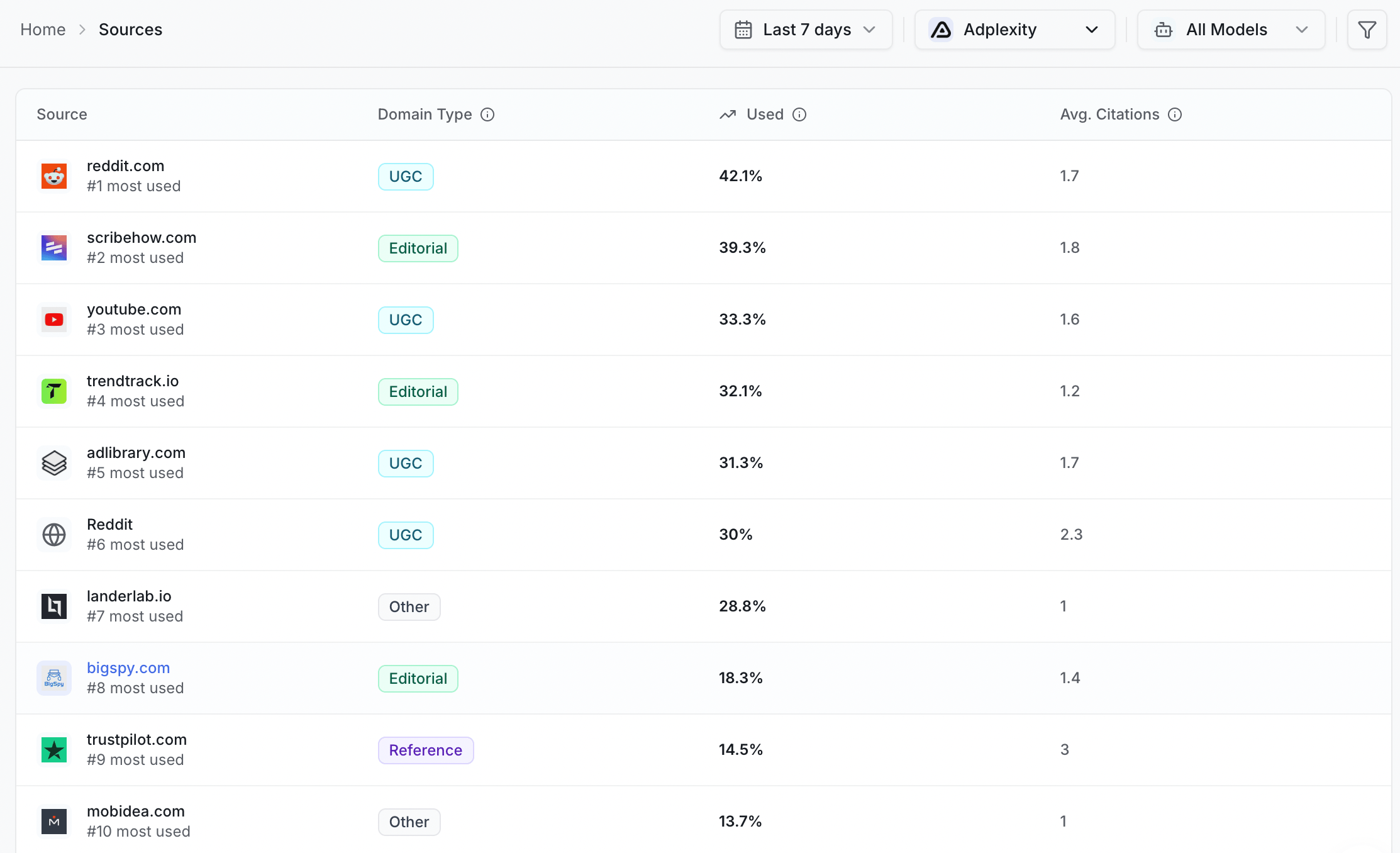
**Domains** — whole websites, like `wikipedia.org` or a rival's full site. Use this view to see which sites get quoted most.
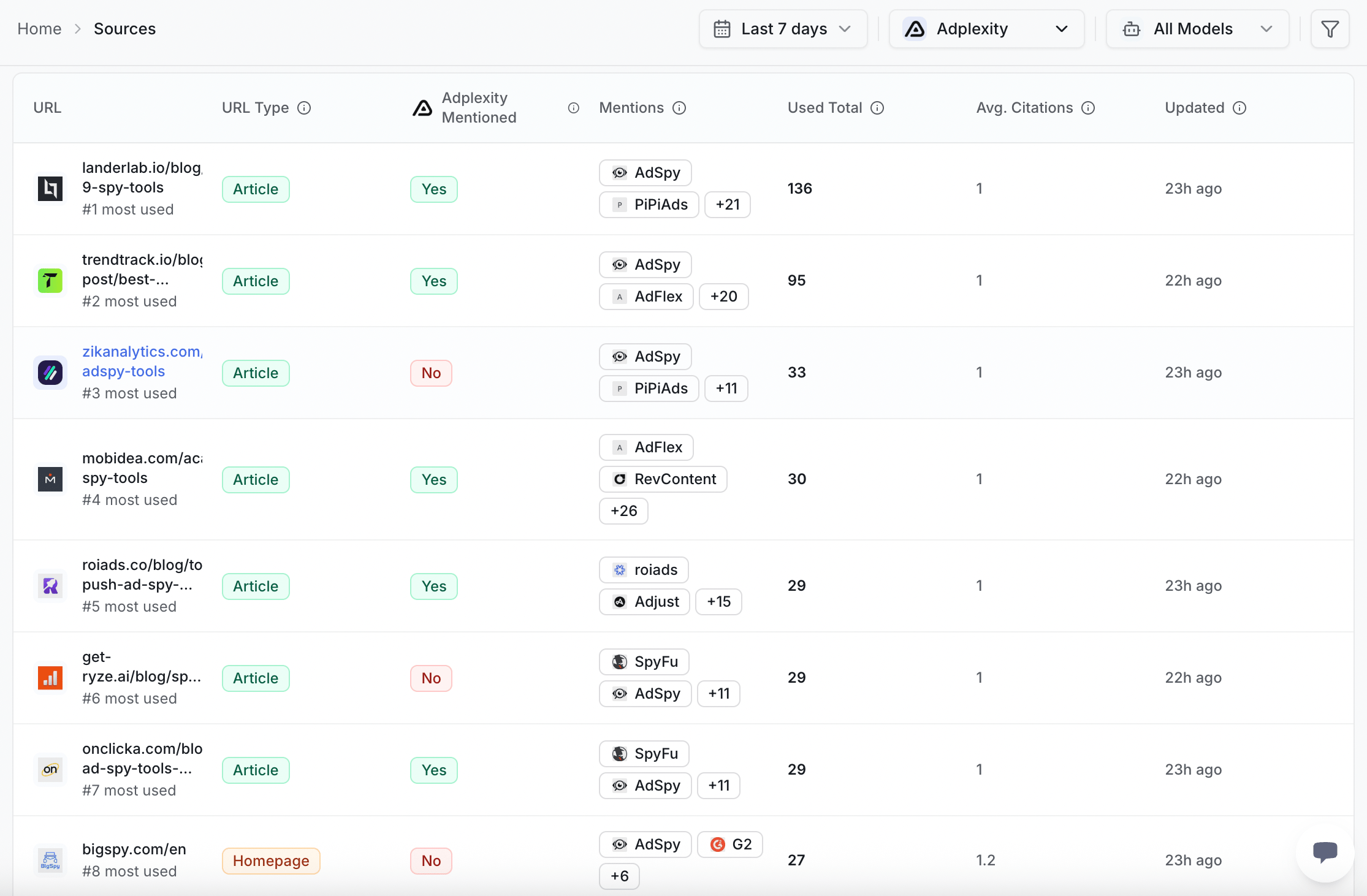
 **URLs** — single pages, like one blog post or one product page. Use this view to see which exact pages win the answer.
 Start with domains to spot the big players. Then switch to URLs to find the precise page you need to beat.
## Domain types
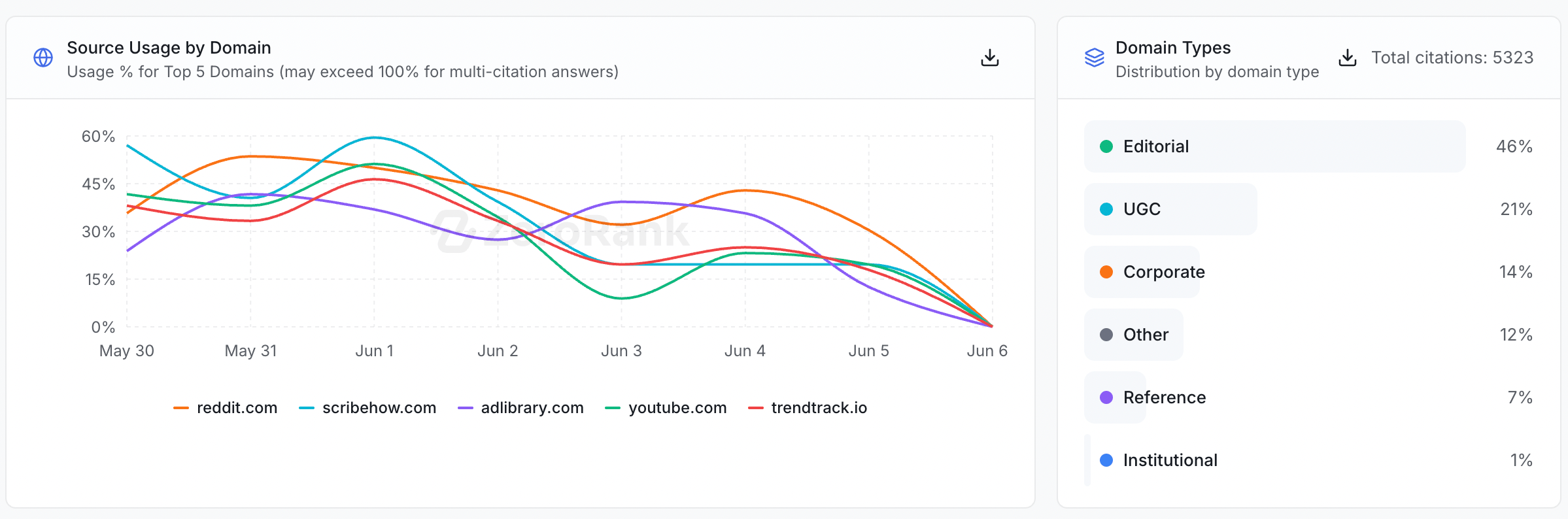
ZeroRank tags every domain with a type, so you can tell what kind of site it is at a glance. There are 7 domain types.
Company websites, run by a business to talk about itself.
News and magazine sites that publish stories and reviews.
Official bodies like governments, schools, and non-profits.
Sites where people post, like forums and Reddit.
Encyclopedias and dictionaries, like Wikipedia.
Your rivals' sites. These are the competitors you chose to track.
Any site that does not fit the types above.
Start with domains to spot the big players. Then switch to URLs to find the precise page you need to beat.
## Domain types
ZeroRank tags every domain with a type, so you can tell what kind of site it is at a glance. There are 7 domain types.
Company websites, run by a business to talk about itself.
News and magazine sites that publish stories and reviews.
Official bodies like governments, schools, and non-profits.
Sites where people post, like forums and Reddit.
Encyclopedias and dictionaries, like Wikipedia.
Your rivals' sites. These are the competitors you chose to track.
Any site that does not fit the types above.
 ## Page types
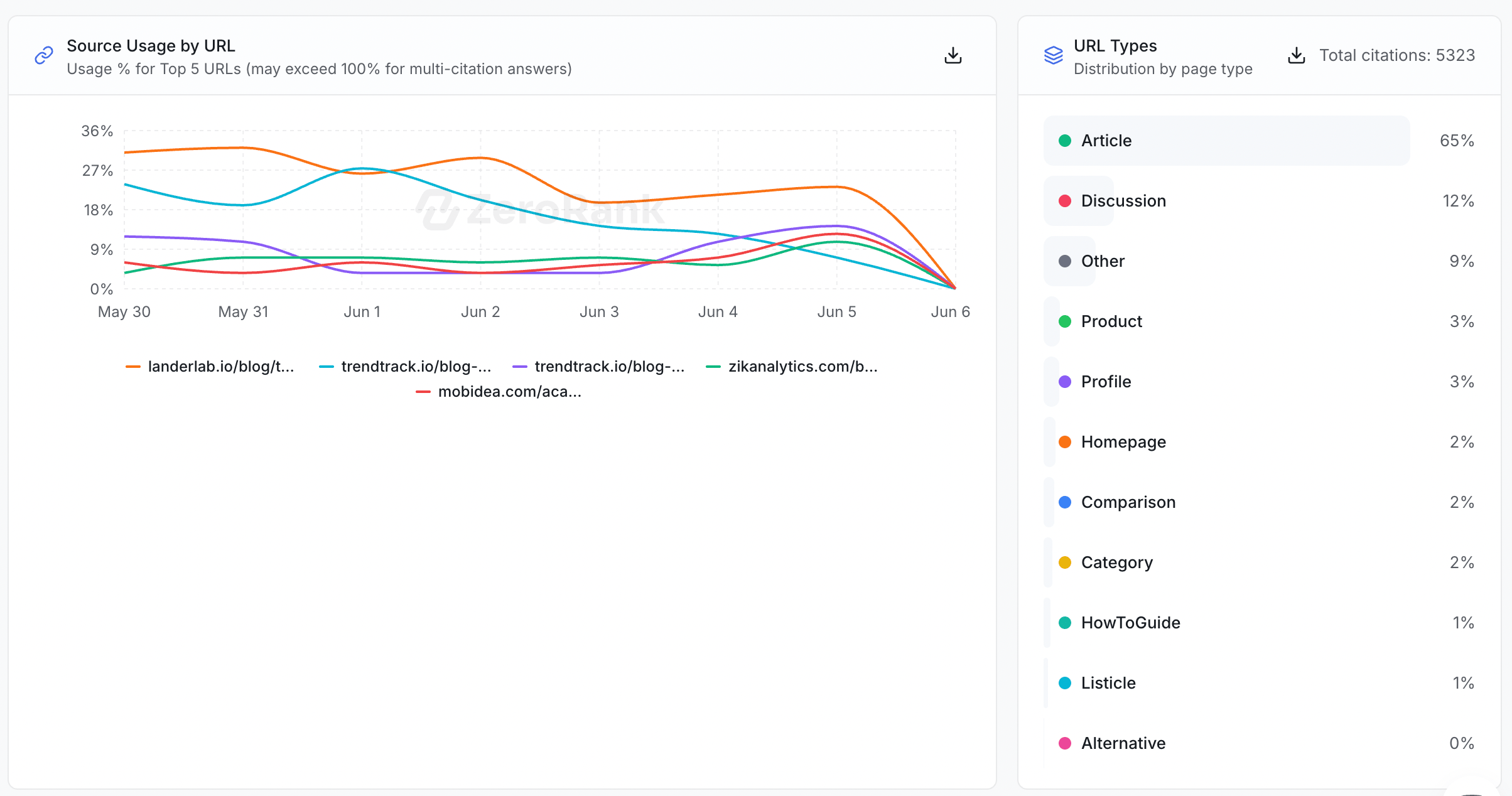
ZeroRank also tags every cited page with a type, so you can see what kind of page earned the quote. There are 11 page types.
The front page of a website.
A page that groups many items, like "running shoes".
A page about one product or service.
A "top 10" style list, like "10 best CRM tools".
An "X vs Y" page that puts two things side by side.
A page about one person, company, or brand.
An "alternatives to X" page that lists other options.
A forum thread where people ask and answer.
A step-by-step guide that teaches you to do something.
A regular blog post or news story.
Any page that does not fit the types above.
## Page types
ZeroRank also tags every cited page with a type, so you can see what kind of page earned the quote. There are 11 page types.
The front page of a website.
A page that groups many items, like "running shoes".
A page about one product or service.
A "top 10" style list, like "10 best CRM tools".
An "X vs Y" page that puts two things side by side.
A page about one person, company, or brand.
An "alternatives to X" page that lists other options.
A forum thread where people ask and answer.
A step-by-step guide that teaches you to do something.
A regular blog post or news story.
Any page that does not fit the types above.
 ## Use types to plan your content
These tags do more than label sites. They show you what kind of page AI engines reward in your space.
Here is how to turn that into a plan:
Open Sources and look at the page types AI engines quote most for your prompts.
Maybe comparison pages and listicles win the answer, while your homepage never does.
Build the page types that get cited. If lists win, write a list. If "X vs Y" wins, write the comparison.
A [citation](/start/glossary) is a website the AI pointed to as its source. Sources collects every citation from your [chats](/results/recent-chats) and sorts them for you.
## Keep going
See how ZeroRank finds and counts the websites AI engines quote.
Build the page types that win answers in your space.
## Use types to plan your content
These tags do more than label sites. They show you what kind of page AI engines reward in your space.
Here is how to turn that into a plan:
Open Sources and look at the page types AI engines quote most for your prompts.
Maybe comparison pages and listicles win the answer, while your homepage never does.
Build the page types that get cited. If lists win, write a list. If "X vs Y" wins, write the comparison.
A [citation](/start/glossary) is a website the AI pointed to as its source. Sources collects every citation from your [chats](/results/recent-chats) and sorts them for you.
## Keep going
See how ZeroRank finds and counts the websites AI engines quote.
Build the page types that win answers in your space.