> ## Documentation Index
> Fetch the complete documentation index at: https://docs.zerorank.ai/llms.txt
> Use this file to discover all available pages before exploring further.
# The Overview dashboard
> Your home screen: a quick health check of your AI visibility.
The Overview is the first screen you see when you open ZeroRank. It is a quick health check. In a few seconds, you can tell how often AI engines mention your brand and who shows up next to you.
An [AI engine](/start/glossary) is a tool like ChatGPT or Perplexity that answers questions for people. ZeroRank watches what those answers say about you.
## What the Overview shows at a glance
The Overview is split into a few cards. Each card answers one simple question.
* **Visibility** — how often AI answers mention each brand, drawn over time.
* **Brands** — the brands that show up most, including your competitors.
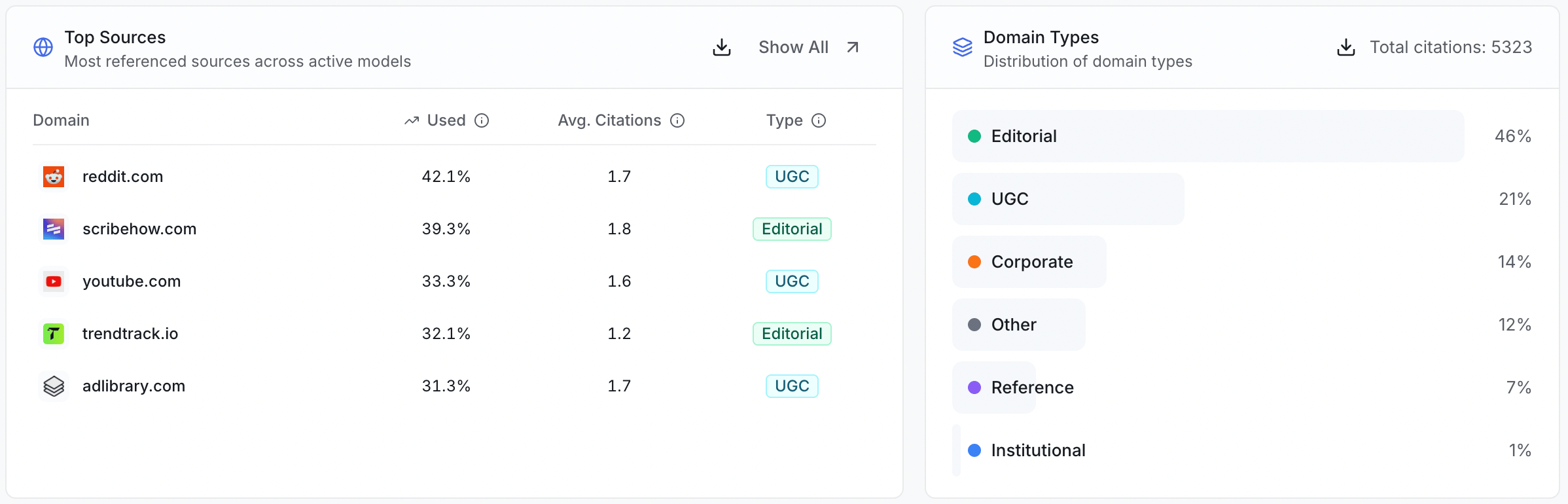
* **Top Sources** — the websites AI engines quote most when they answer.
* **Domain Types** — what kinds of sites those are (like news or blogs).
* **Recent Chats** — the latest answers AI engines gave, so you can read them.
 ## The numbers in the Brands card
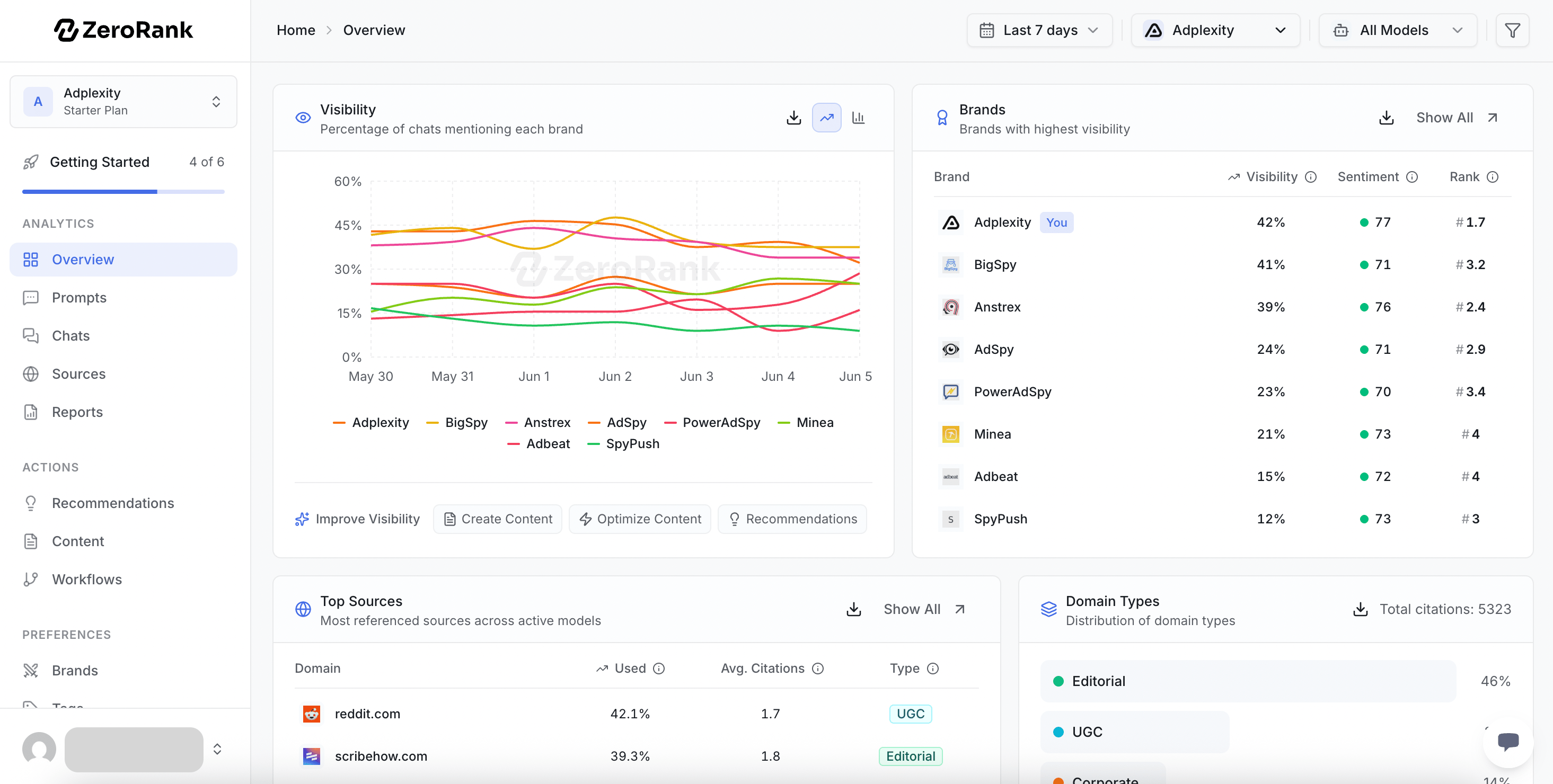
The **Brands** card is a table. Each row is one brand, and three columns sit next to it.
* **Visibility** — the share of AI answers that mention that brand. If 30 out of 100 answers name a brand, its visibility is 30%.
* [**Sentiment**](/start/glossary) — whether the AI talked about that brand in a good, okay, or bad way. A colored dot shows which one.
* **Rank** — where the brand usually lands when it is named. Rank 1 means it is the first brand the AI talks about.
Your own brand is marked with a **You** label, so you can spot it fast.
## The numbers in the Brands card
The **Brands** card is a table. Each row is one brand, and three columns sit next to it.
* **Visibility** — the share of AI answers that mention that brand. If 30 out of 100 answers name a brand, its visibility is 30%.
* [**Sentiment**](/start/glossary) — whether the AI talked about that brand in a good, okay, or bad way. A colored dot shows which one.
* **Rank** — where the brand usually lands when it is named. Rank 1 means it is the first brand the AI talks about.
Your own brand is marked with a **You** label, so you can spot it fast.
 ZeroRank runs your [prompts](/tracking/prompts) every day and saves each answer. A prompt is a question we ask AI engines for you. The numbers on the Overview come from all those saved answers.
## Reading the trend over time
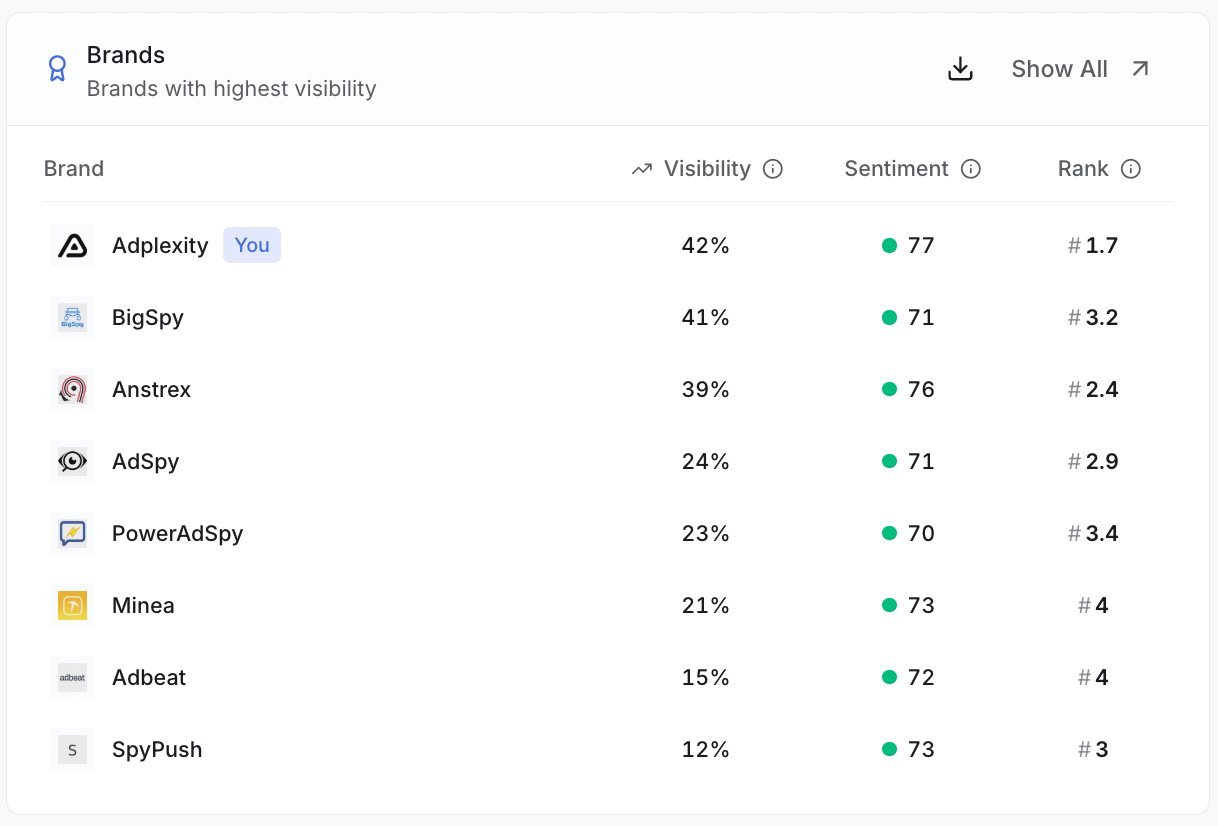
The Visibility card is a chart. The line goes up when more answers mention you, and down when fewer do.
Each brand gets its own colored line, so you can see how you stack up against competitors.
Hover over a line to highlight that brand. Click a brand to filter the whole page to it.
ZeroRank runs your [prompts](/tracking/prompts) every day and saves each answer. A prompt is a question we ask AI engines for you. The numbers on the Overview come from all those saved answers.
## Reading the trend over time
The Visibility card is a chart. The line goes up when more answers mention you, and down when fewer do.
Each brand gets its own colored line, so you can see how you stack up against competitors.
Hover over a line to highlight that brand. Click a brand to filter the whole page to it.
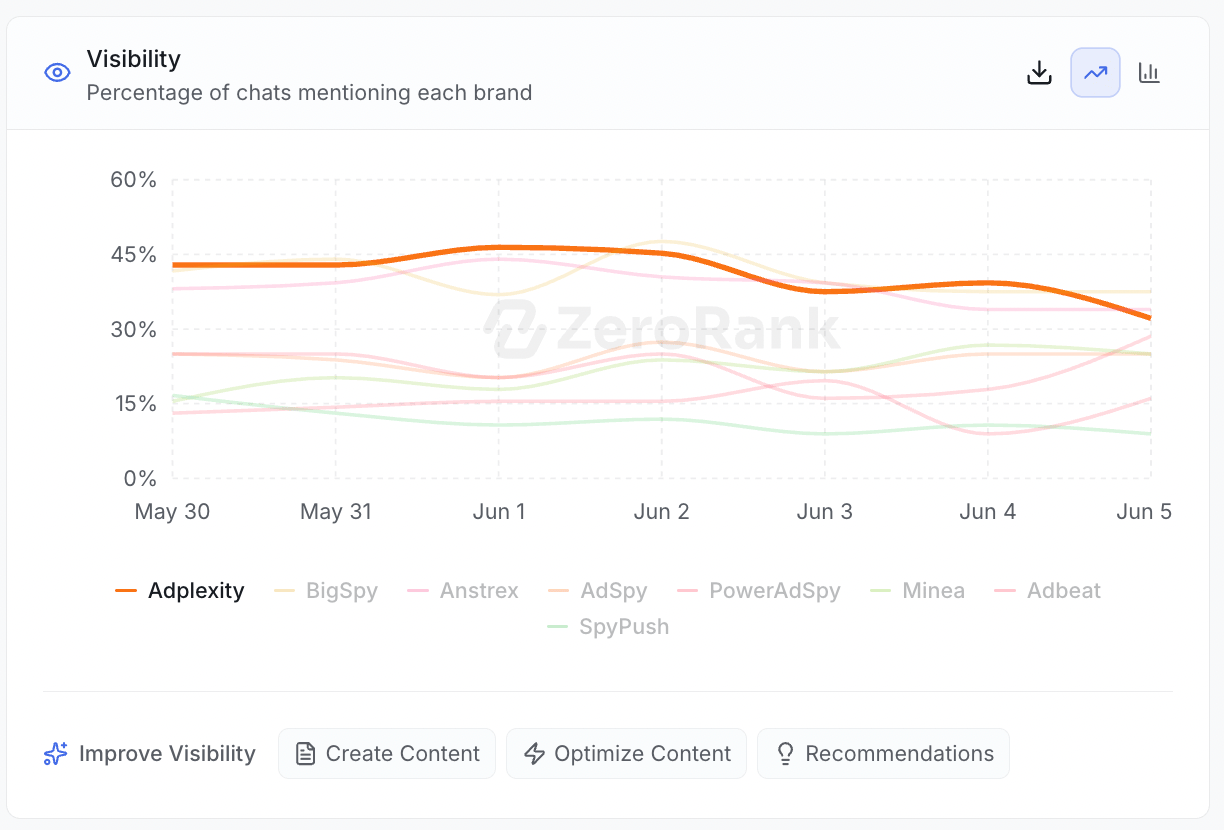 Watch the shape of the line, not just one day. A line climbing over a few weeks means your work is paying off.
## Filtering what you see
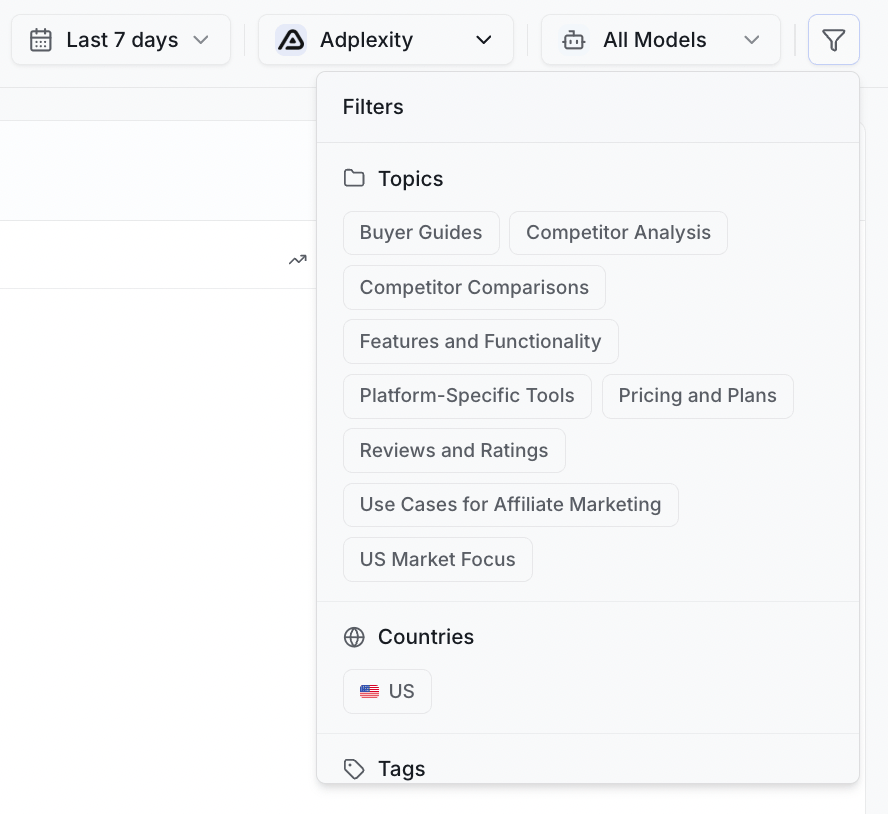
You can narrow the Overview to focus on what matters. Use the filters at the top of the page.
* **Date range** — pick the time window, like the last 7 or 30 days.
* **Topic** — show only one [topic](/tracking/topics-and-tags), such as pricing or features.
* **Tag** — show only prompts you have labeled with a tag.
* **Brand** — focus on you or one competitor.
* **AI engine** — show only ChatGPT, Perplexity, or another engine.
Change a filter and every card updates to match.
Watch the shape of the line, not just one day. A line climbing over a few weeks means your work is paying off.
## Filtering what you see
You can narrow the Overview to focus on what matters. Use the filters at the top of the page.
* **Date range** — pick the time window, like the last 7 or 30 days.
* **Topic** — show only one [topic](/tracking/topics-and-tags), such as pricing or features.
* **Tag** — show only prompts you have labeled with a tag.
* **Brand** — focus on you or one competitor.
* **AI engine** — show only ChatGPT, Perplexity, or another engine.
Change a filter and every card updates to match.
 ## Top sources and domain types
When an AI engine answers, it often points to websites as its sources.
* **Top Sources** lists the websites AI engines quote most across your prompts.
* **Domain Types** groups those websites by kind, so you can see if AI leans on news sites, blogs, or forums.
## Top sources and domain types
When an AI engine answers, it often points to websites as its sources.
* **Top Sources** lists the websites AI engines quote most across your prompts.
* **Domain Types** groups those websites by kind, so you can see if AI leans on news sites, blogs, or forums.
 Think of sources as the books AI quotes from. If one keeps getting quoted, getting mentioned there can lift your visibility.
Knowing your sources tells you where to spend your time.
## Where to dig deeper
The Overview is the summary. Each number has its own page with the full story.
See how the share of AI answers mentioning you is measured.
Learn how your brand's place in answers is scored.
Explore every website AI engines quote about your topics.
Read the actual answers AI engines gave, word for word.
Think of sources as the books AI quotes from. If one keeps getting quoted, getting mentioned there can lift your visibility.
Knowing your sources tells you where to spend your time.
## Where to dig deeper
The Overview is the summary. Each number has its own page with the full story.
See how the share of AI answers mentioning you is measured.
Learn how your brand's place in answers is scored.
Explore every website AI engines quote about your topics.
Read the actual answers AI engines gave, word for word.