> ## Documentation Index
> Fetch the complete documentation index at: https://docs.zerorank.ai/llms.txt
> Use this file to discover all available pages before exploring further.
# Sentiment
> Whether AI talks about your brand in a good, neutral, or not-so-good way.
Sentiment measures how AI platforms talk about your brand when they mention it.
Every time your brand appears in an AI-generated answer, ZeroRank analyzes the language used and classifies the mention as Positive, Neutral, or Negative.
* **🟢 Positive** — the AI said something good about you. Shown in green.
* **🟠 Neutral** — the AI just mentioned you, with no clear good or bad feeling. Shown in orange.
* **🔴 Negative** — the AI said something not-so-good about you. Shown in red.
## Three ways to look at sentiment
You can analyze sentiment at three different levels:
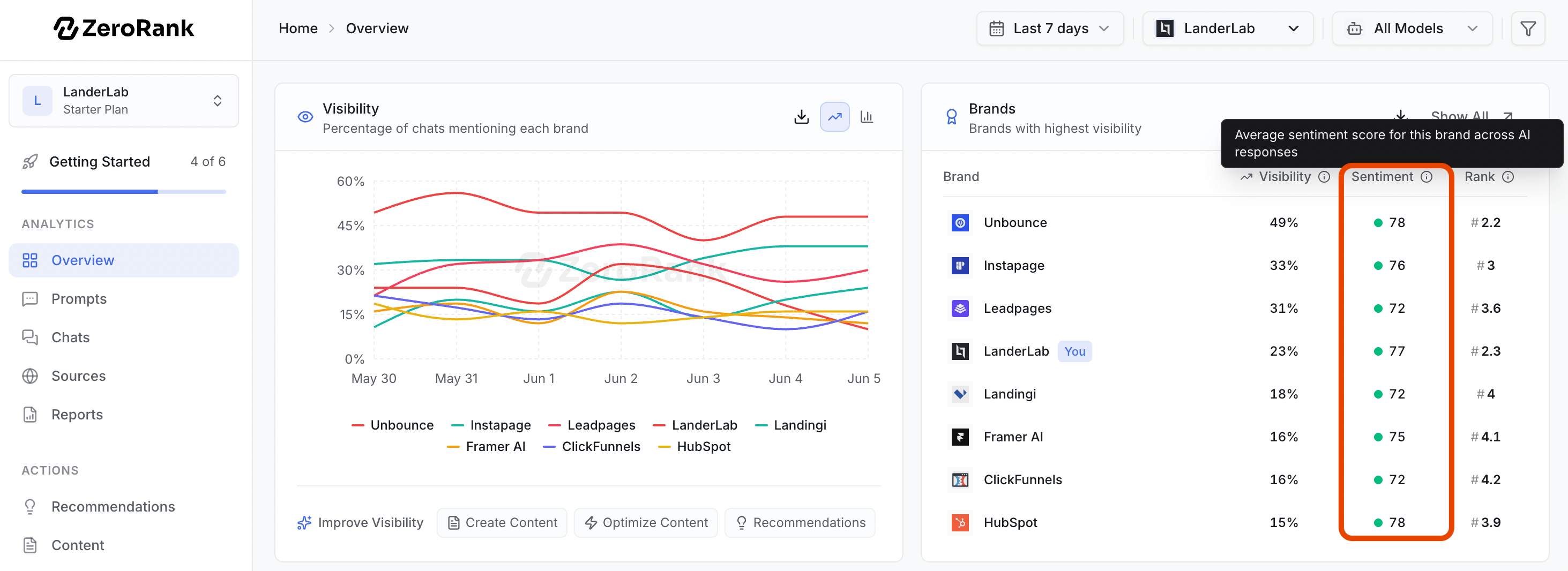
### Overall sentiment
Your sentiment across all tracked prompts, topics, and AI engines.
You will see this in the **Overview** and **Brand Rankings** page.
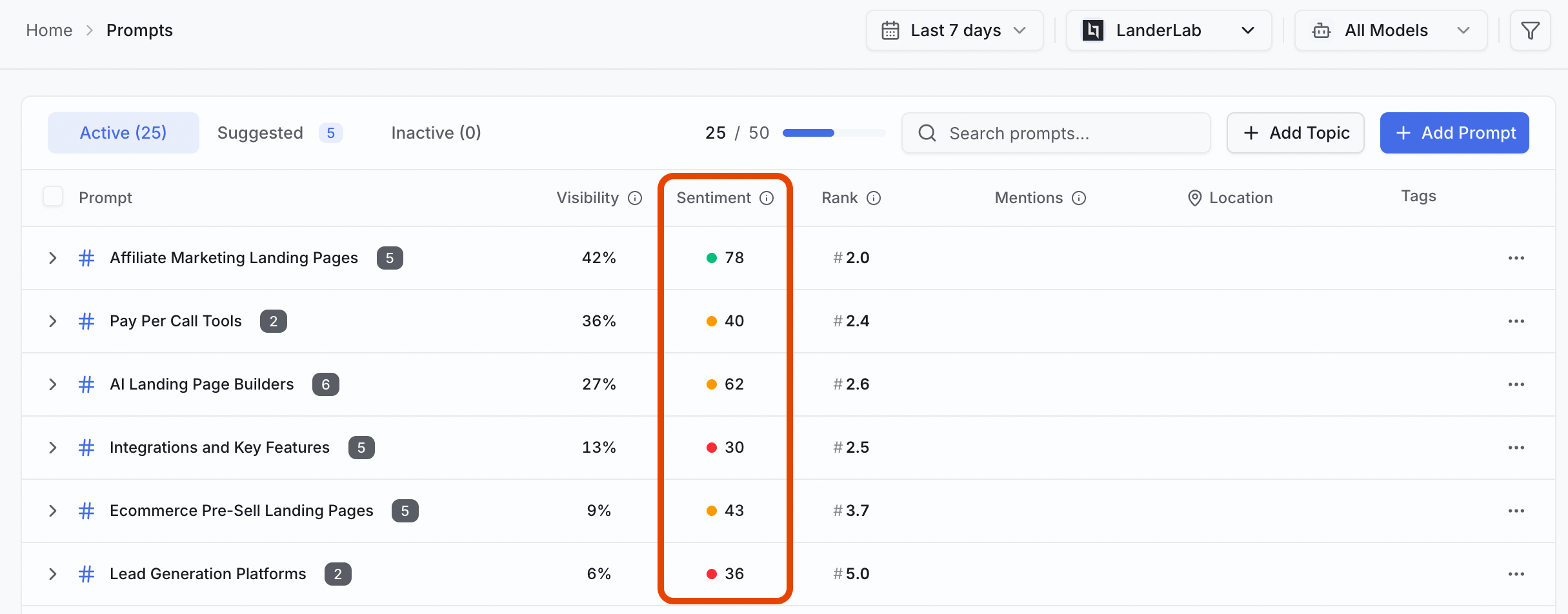
 ### Topic sentiment
Your sentiment within a specific topic, helping you understand where your brand is viewed most positively or negatively.
You will see this in the **Prompts** page.
### Topic sentiment
Your sentiment within a specific topic, helping you understand where your brand is viewed most positively or negatively.
You will see this in the **Prompts** page.
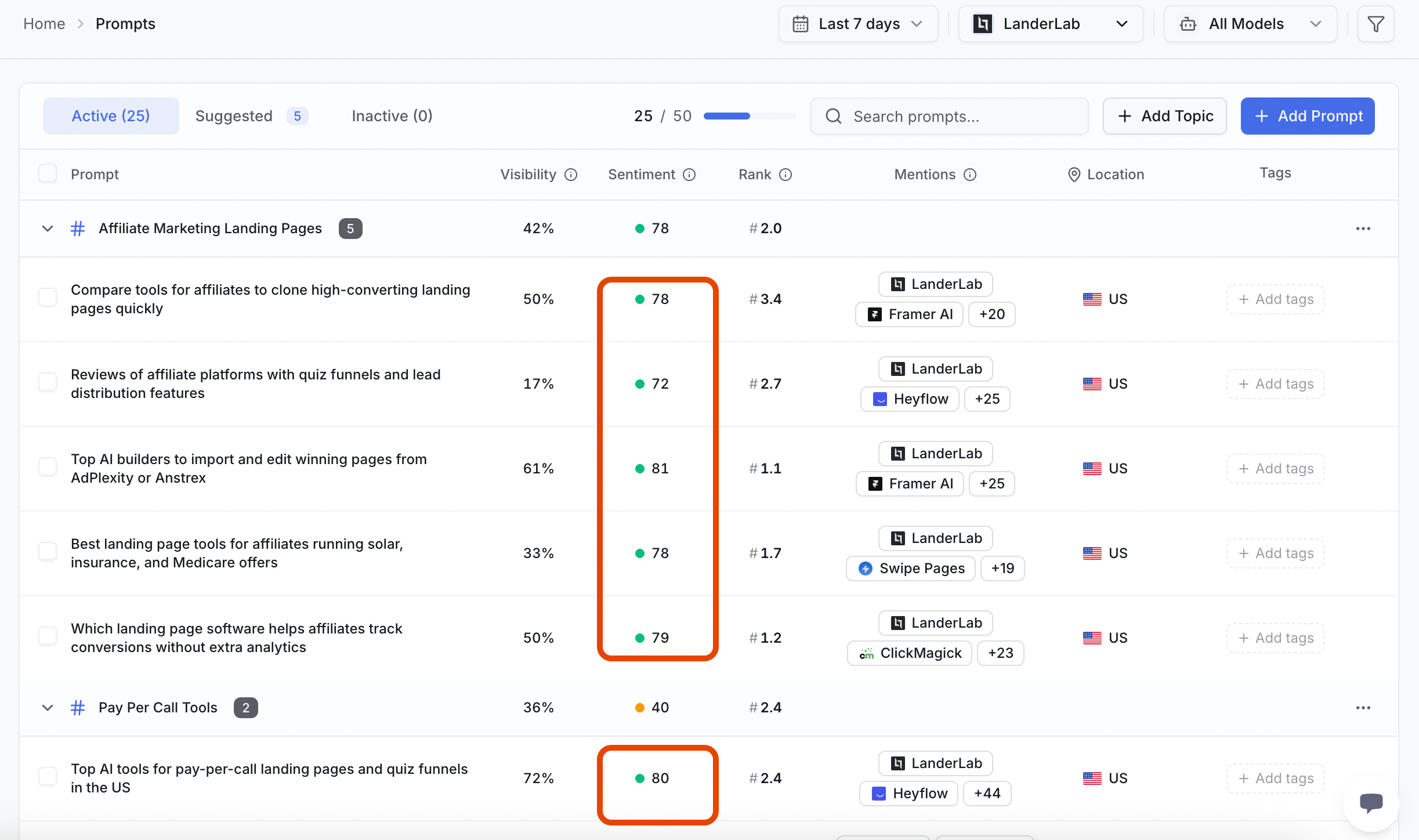
 ### Prompt sentiment
Your sentiment for an individual prompt, showing how AI platforms describe your brand for a specific question.
You will see this in the **Prompts** page, when expanding on Topics.
### Prompt sentiment
Your sentiment for an individual prompt, showing how AI platforms describe your brand for a specific question.
You will see this in the **Prompts** page, when expanding on Topics.
 ## Watching sentiment over time
Check the **Reports** page regularly to see how AI perception of your brand is changing.
The Sentiment Breakdown shows it in two ways
* **A percentage split.** A colored bar shows how your mentions divide between the three groups. For example, 70% Positive, 25% Neutral, 5% Negative.
* **Mention counts.** Under each group you see the real number of mentions. So you know if 5% Negative means 2 chats or 200.
## Watching sentiment over time
Check the **Reports** page regularly to see how AI perception of your brand is changing.
The Sentiment Breakdown shows it in two ways
* **A percentage split.** A colored bar shows how your mentions divide between the three groups. For example, 70% Positive, 25% Neutral, 5% Negative.
* **Mention counts.** Under each group you see the real number of mentions. So you know if 5% Negative means 2 chats or 200.
 The percentage shows the distribution. The count shows the scale.
For example, 5% Negative sentiment may not matter if it represents two mentions. It becomes much more important if it represents hundreds of mentions.
### Comparing this period to last
Next to each sentiment category, you'll see a delta indicator showing how sentiment changed compared to the previous period.
* 🟢 Green indicates a positive change.
* 🔴 Red indicates a negative change.
* ⚪ No color indicates little or no change.
For example, an increase in Positive sentiment is usually a good sign, while an increase in Negative sentiment may indicate emerging issues worth investigating.
These indicators help you spot changes early and understand how AI platforms are talking about your brand over time.
A mention only counts here when the AI actually talks about your brand. Chats that never mention you are not part of your sentiment.
## Comparing yourself to competitors
Your numbers mean more when you put them next to your rivals. A 90% Positive score sounds great. But it matters less if a competitor sits at 98%.
Check your overall sentiment to see how each brand you track is described. Look for two things:
* Where a rival has more Positive mentions than you.
* Where you have more Negative mentions than a rival.
Those gaps show you where to focus next.
## What to do when negative sentiment grows
A rising Negative number is not a reason to panic. It is a clue. Follow it in two steps.
Open [Recent chats](/results/recent-chats). Find the answers that mention your brand in a bad way. Read them in full to learn why the AI said it. The cause might be an old review, a missing fact, or a competitor's claim.
Go to [Recommendations](/improve/recommendations). It turns what you learned into clear next steps. These help you fix the story the AI tells about your brand.
Read the chats before you act. The number tells you something changed. The chats tell you why.
## Keep going
Read the real answers behind every sentiment score.
Turn what you learn into clear next steps.
The percentage shows the distribution. The count shows the scale.
For example, 5% Negative sentiment may not matter if it represents two mentions. It becomes much more important if it represents hundreds of mentions.
### Comparing this period to last
Next to each sentiment category, you'll see a delta indicator showing how sentiment changed compared to the previous period.
* 🟢 Green indicates a positive change.
* 🔴 Red indicates a negative change.
* ⚪ No color indicates little or no change.
For example, an increase in Positive sentiment is usually a good sign, while an increase in Negative sentiment may indicate emerging issues worth investigating.
These indicators help you spot changes early and understand how AI platforms are talking about your brand over time.
A mention only counts here when the AI actually talks about your brand. Chats that never mention you are not part of your sentiment.
## Comparing yourself to competitors
Your numbers mean more when you put them next to your rivals. A 90% Positive score sounds great. But it matters less if a competitor sits at 98%.
Check your overall sentiment to see how each brand you track is described. Look for two things:
* Where a rival has more Positive mentions than you.
* Where you have more Negative mentions than a rival.
Those gaps show you where to focus next.
## What to do when negative sentiment grows
A rising Negative number is not a reason to panic. It is a clue. Follow it in two steps.
Open [Recent chats](/results/recent-chats). Find the answers that mention your brand in a bad way. Read them in full to learn why the AI said it. The cause might be an old review, a missing fact, or a competitor's claim.
Go to [Recommendations](/improve/recommendations). It turns what you learned into clear next steps. These help you fix the story the AI tells about your brand.
Read the chats before you act. The number tells you something changed. The chats tell you why.
## Keep going
Read the real answers behind every sentiment score.
Turn what you learn into clear next steps.