> ## Documentation Index
> Fetch the complete documentation index at: https://docs.zerorank.ai/llms.txt
> Use this file to discover all available pages before exploring further.
# Your getting-started checklist
> Six small tasks that give you value in your first week.
When you first open ZeroRank, the **Getting Started** page greets you with a short checklist. It walks you through the app one task at a time.
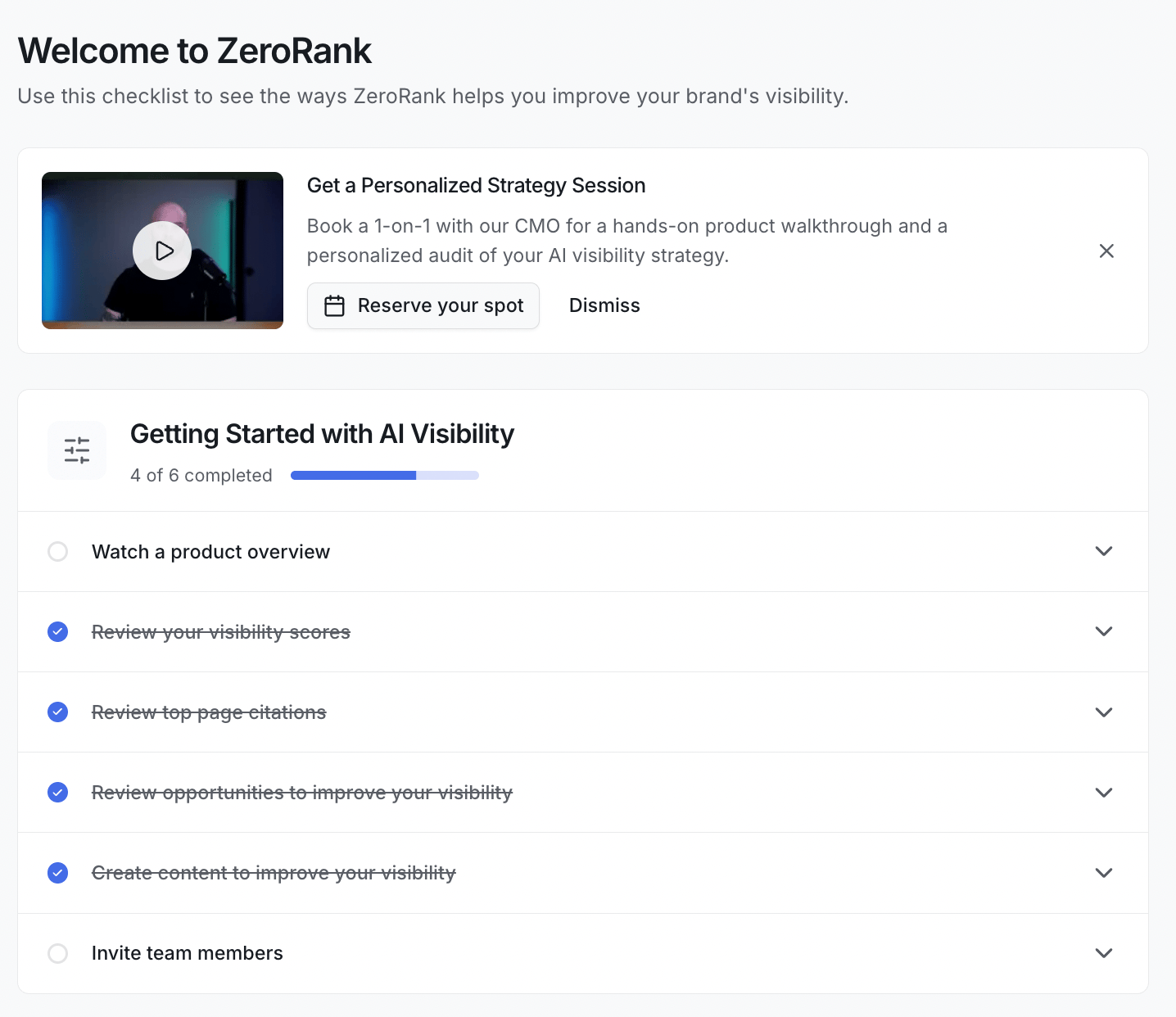 Each task takes a few minutes. Together they help you see your brand's visibility score, learn where it comes from, and start making it better. ZeroRank ticks off each task as you finish it, so you can always see what's left.
## Work through the six tasks
A short video shows you how ZeroRank works, from tracking your brand to improving it. It's the fastest way to get the big picture before you dig in.
See how often AI answers mention your brand. You can filter by topics to spot the areas where you have the most room to grow. [See visibility score](/results/visibility-score).
Your [visibility score](/start/glossary) is the share of AI answers that mention your brand. New here? Start with [What is ZeroRank](/start/what-is-zerorank).
A [citation](/start/glossary) is a website the AI pointed to as its source. This view shows the domains and pages that come up most in answers, so you learn what shapes your mentions. [See citation tracking](/citations/citation-tracking).
ZeroRank turns your data into clear, doable suggestions. Each one tells you a step you can take to show up more. [See recommendations](/improve/recommendations).
Start your first content project. ZeroRank helps you write pages built for AI answer engines, using what it knows about your brand. [See create content](/improve/create-content).
Bring your team into the workspace so you can share reports and work on content together. [See members](/account/members).
## A few tips
* You don't have to do the tasks in order. Pick whatever matters most to you first.
* Click any task to open it, read the short note, and jump straight to that part of the app.
* The checklist remembers what you've done, so you can stop and come back later.
Give your prompts a day to run first. ZeroRank checks the AI engines once a day, so your first scores fill in after that first run.
## Keep going
Follow your data from a prompt to a score, step by step.
Add your brand, competitors, and first prompts.
Each task takes a few minutes. Together they help you see your brand's visibility score, learn where it comes from, and start making it better. ZeroRank ticks off each task as you finish it, so you can always see what's left.
## Work through the six tasks
A short video shows you how ZeroRank works, from tracking your brand to improving it. It's the fastest way to get the big picture before you dig in.
See how often AI answers mention your brand. You can filter by topics to spot the areas where you have the most room to grow. [See visibility score](/results/visibility-score).
Your [visibility score](/start/glossary) is the share of AI answers that mention your brand. New here? Start with [What is ZeroRank](/start/what-is-zerorank).
A [citation](/start/glossary) is a website the AI pointed to as its source. This view shows the domains and pages that come up most in answers, so you learn what shapes your mentions. [See citation tracking](/citations/citation-tracking).
ZeroRank turns your data into clear, doable suggestions. Each one tells you a step you can take to show up more. [See recommendations](/improve/recommendations).
Start your first content project. ZeroRank helps you write pages built for AI answer engines, using what it knows about your brand. [See create content](/improve/create-content).
Bring your team into the workspace so you can share reports and work on content together. [See members](/account/members).
## A few tips
* You don't have to do the tasks in order. Pick whatever matters most to you first.
* Click any task to open it, read the short note, and jump straight to that part of the app.
* The checklist remembers what you've done, so you can stop and come back later.
Give your prompts a day to run first. ZeroRank checks the AI engines once a day, so your first scores fill in after that first run.
## Keep going
Follow your data from a prompt to a score, step by step.
Add your brand, competitors, and first prompts.