

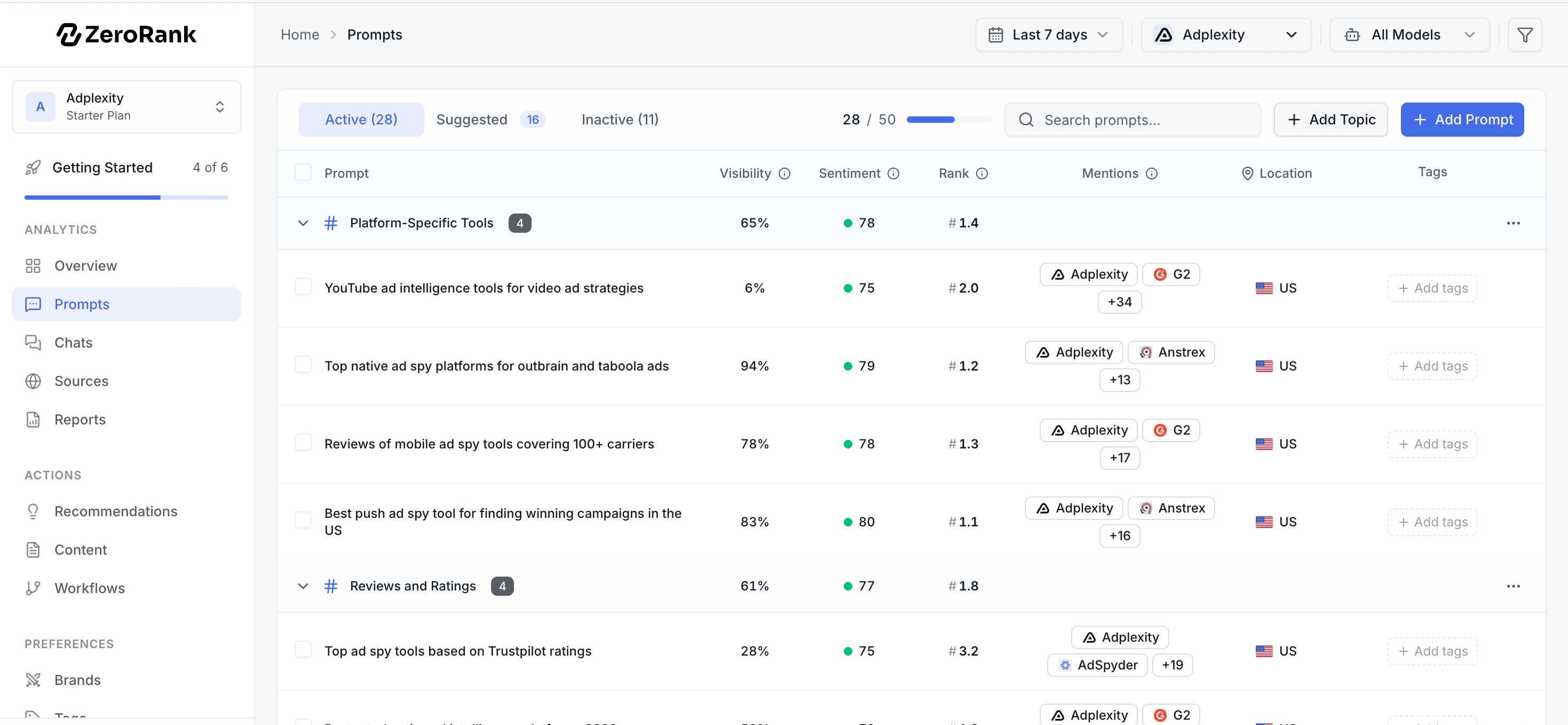
The three lists of prompts
Your prompts live in three lists. Each list does a different job.- Active
- Suggested
- Inactive
These prompts are turned on. ZeroRank asks them on every scheduled run.On most plans that means once a day. On AppSumo lifetime plans, prompts run once a week.Active prompts count toward your plan limit.
How suggestions work
ZeroRank writes suggested prompts for you, so you do not start from a blank page. It builds them from what it knows about your company and your topics. For each suggestion, you have two choices:- Accept it. The prompt moves to your active list and starts running.
- Reject it. The prompt goes away and stops cluttering your list.
Add your own prompts
You do not have to wait for suggestions. You can write a prompt yourself.1
Open Prompts
Go to Prompts in the app at app.zerorank.ai.
2
Write your question
Type the exact question you want AI engines to answer.
3
Set the details
Pick a topic, add tags, and choose a location if the answer should reflect one country.
4
Save it
Save the prompt. It joins your active list and runs on the next scheduled cycle.
Pause a prompt
Done with a prompt for now? Pause it instead of deleting it. A paused prompt moves to your inactive list and stops running. Its past chats stay saved, and pausing it frees up room under your plan limit. Turn it back on whenever you want.Organize with topics and tags
When you track many prompts, you need a way to group them. ZeroRank gives you two:- A topic is one subject the prompt is about, like “pricing” or “shipping.”
- Tags are labels you add, like “brand” or “competitor.”
Look at one prompt’s numbers
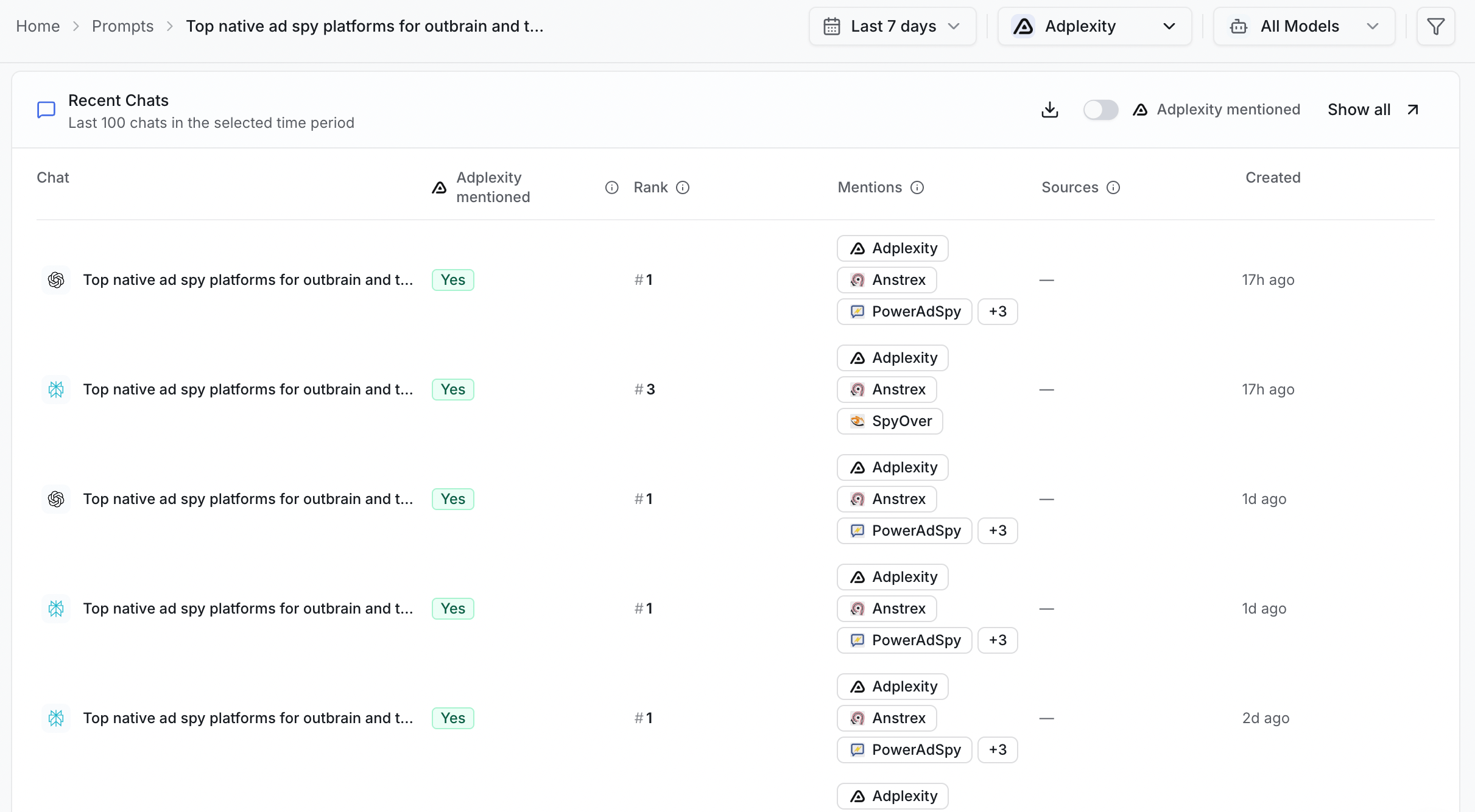
Click any prompt to open its detail page. There you see how that one question did over time. You can check whether your brand showed up, where it ranked, and which websites the AI cited. This helps you spot which questions you win and which need work.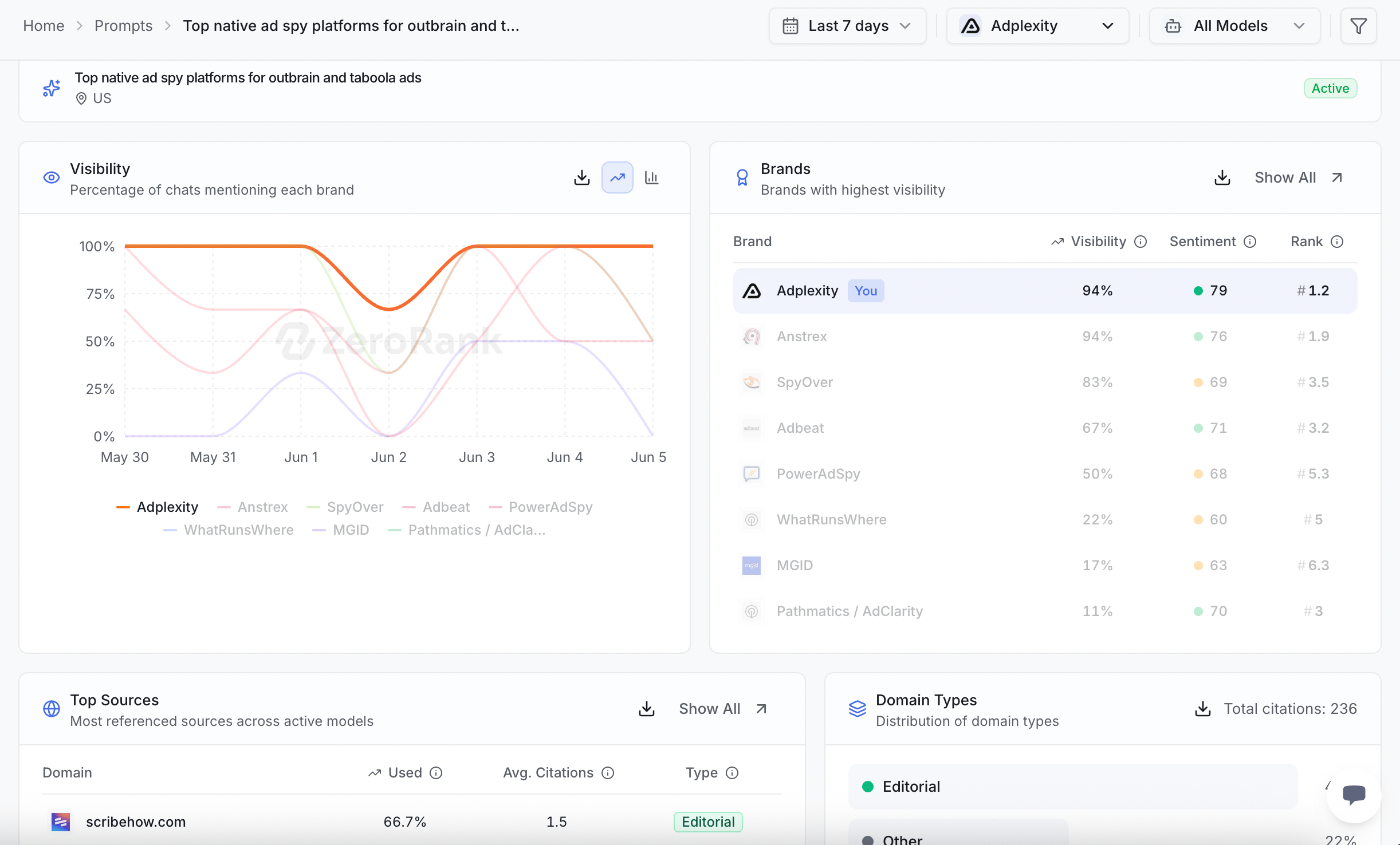
Your plan sets how many active prompts you can track at once: 50 on Starter, 150 on Pro, and 350 or more on Enterprise. Pausing a prompt frees up a slot.
Keep going
Topics and tags
Group your prompts so you can filter results fast.
Recent chats
Read the real answers your prompts brought back.