

What is a chat?
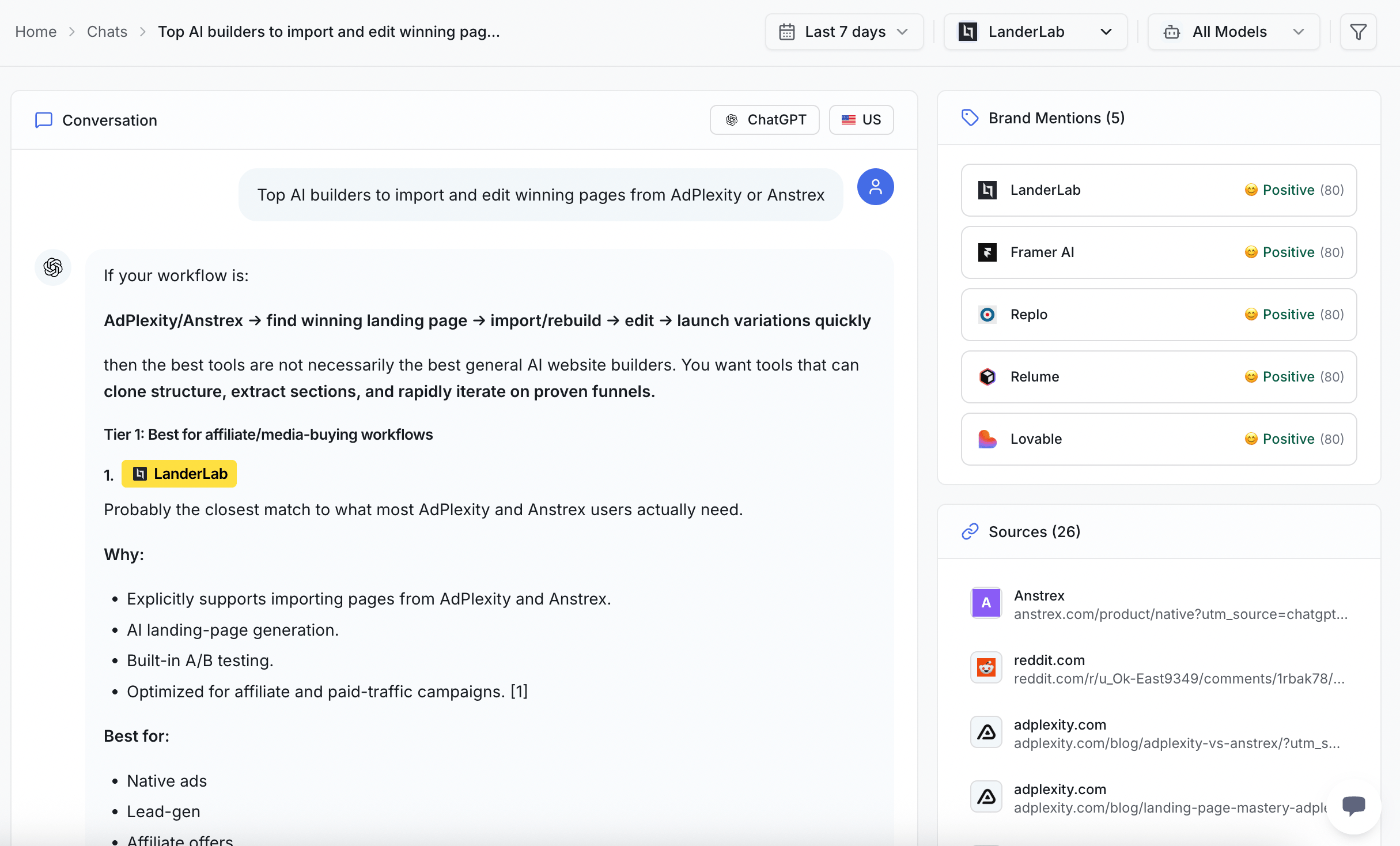
A chat is the answer an AI engine gave back. Every day, ZeroRank asks your prompts (the questions we ask AI engines for you) across 7 AI engines. Each answer it captures is one chat. Every chat keeps a full record, so you can see exactly what happened:- The question that was asked
- The answer the AI gave back, word for word
- The AI model that answered, like ChatGPT or Perplexity
- The location the question was asked from
- The sources — the websites the AI pointed to as its source
- The brand mentions ZeroRank found in that answer
- The brand sentiment — whether your brand was mentioned positively or not.
Why reading real answers matters
A number can tell you that your brand showed up half the time. It cannot tell you how you showed up. Reading the real answer shows you things a score hides:- The exact words the AI used to describe you
- Which competitors stood next to you in the same answer
- Which websites the AI trusted enough to quote
- Whether your brand was mentioned positively or not.
Browse your recent chats
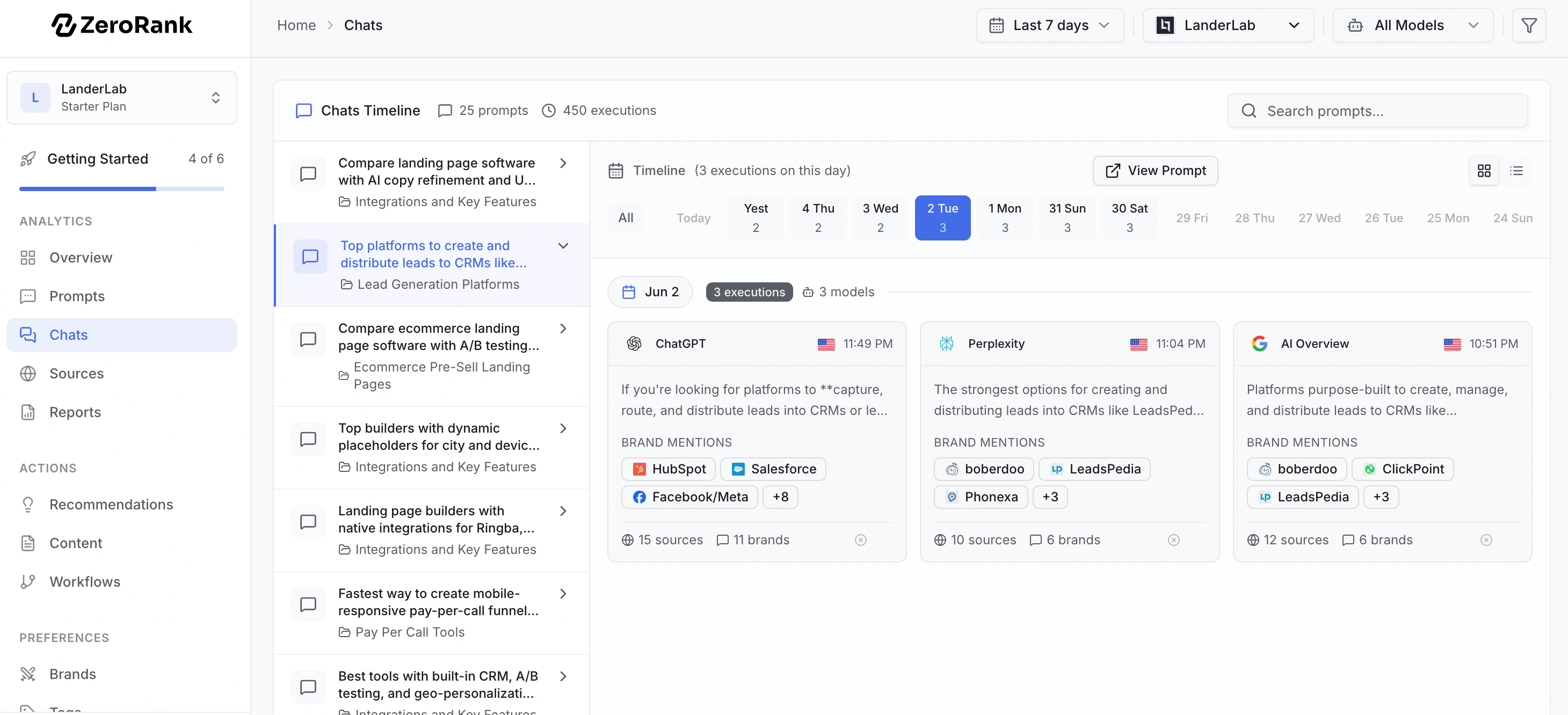
Your latest answers live under Overview → Recent Chats. This is a quick window into what AI engines said today.1
Open Recent Chats
Go to your Overview dashboard and find the Recent Chats panel.
2
Pick a chat to read
Click any chat to open the full answer, with the question and the AI model right at the top.
3
Filter by prompt
Want every answer for one question? Filter by the prompt to line them up side by side.
What to look for in an answer
When you open a chat, read it the way a customer would. Ask yourself three quick questions:- Is your brand there? Find your name in the answer. If it is missing, that is a gap to fix.
- Which competitors are there? See who showed up instead of you, or right beside you.
- Which sources did the AI cite? Note the websites the AI pointed to. Those are the pages winning the answer.
How many answers you get each month depends on your plan: 4,500 on Starter, 13,500 on Pro, and 31,500 or more on Enterprise. See billing for the full breakdown.
From a chat to action
A chat is most useful when it leads to a change. Here is how to turn what you read into a next step:- Your brand is missing? Head to gaps to find the questions where you do not show up yet.
- A rival’s website got cited and yours did not? Open sources to see which sites AI engines trust, then build content that earns the same spot.
Keep going
Find your gaps
See the questions where your brand is missing, then fix them.
Track your sources
Learn which websites AI engines quote, and how to join them.