

What you can build
You decide what the steps do. Here is one example, all in a single run:- Research a topic on the web.
- Draft an article from what it found.
- Score the article for AEO (Answer Engine Optimization — making your content easy for AI to find and quote). See AEO score.
- Post the article to your WordPress site.
- Ping your team in Slack to say it is done.
The visual builder
You build workflows on a canvas, not in a text file. Each step is a box (a node) that you drag in and connect with a line. The order of the lines is the order things run.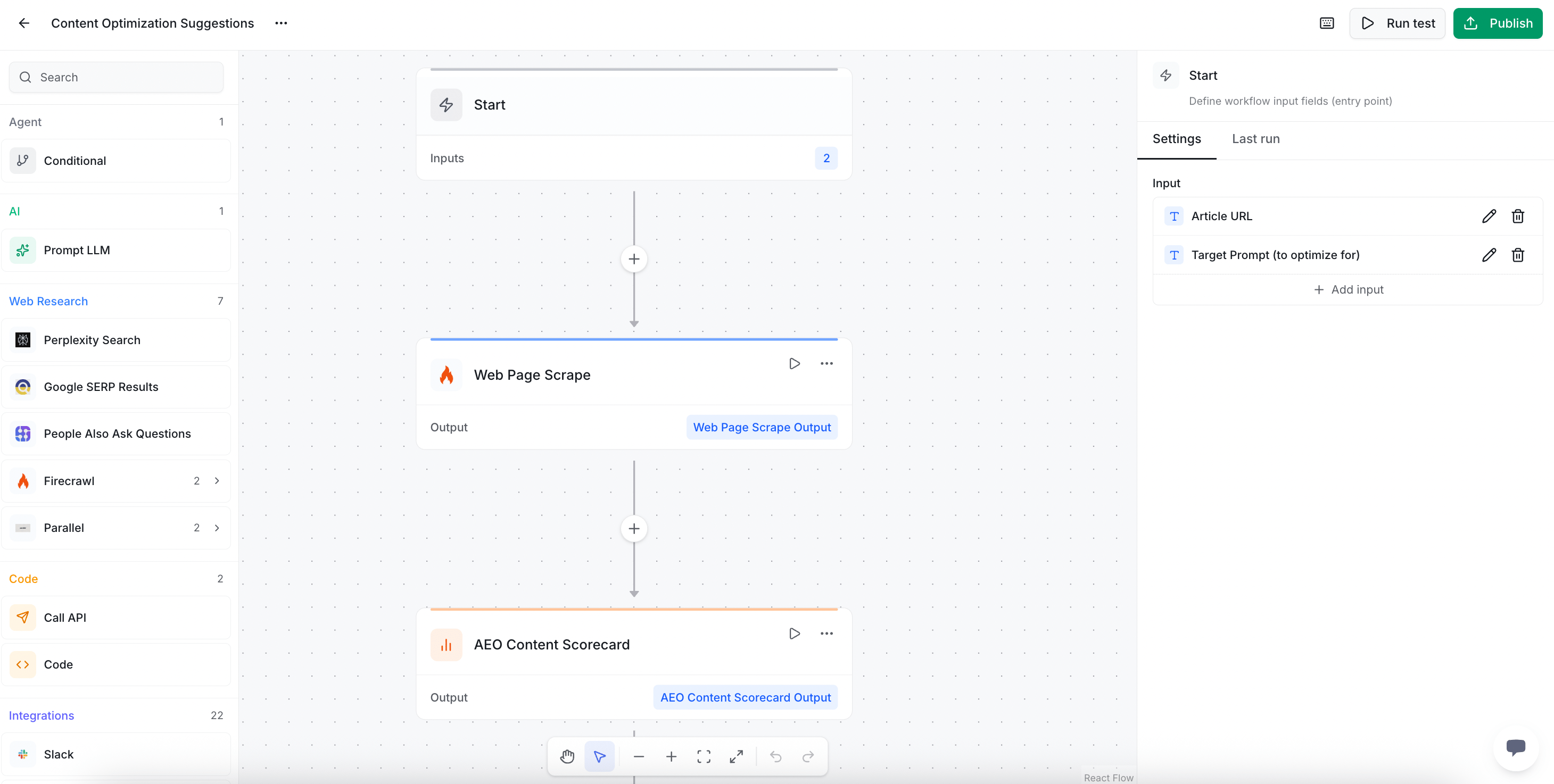
The 12 step categories
Steps come in 12 groups. Here is what each group is for, in plain words.Workflow basics
Start a run, end it, or split the path two ways with a branch.
AI
Ask a language model to write or answer something.
Web research
Search and scrape the web for fresh info.
Code
Run a small script or call any API.
Integrations
Use your connected tools, like WordPress and Slack.
ZeroRank data
Pull your own scores, sentiment, and citations.
Content creation
Draft titles, briefs, and full articles.
Content optimization
Score and sharpen content for AI engines.
Research
Dig up facts and build research reports.
Social
Grab details and transcripts from YouTube videos.
SEO research
Find keyword ideas and search volumes.
Knowledge base
Search, read, and add files in your knowledge base.
There are 55+ steps across these 12 groups. You will find the full, up-to-date catalog inside the app when you build a workflow.
Keep going
Build a workflow
Make your first workflow on the canvas, step by step.
Templates and schedules
Start from a ready-made template and run it on a timer.